Boksero.com turns ordinary e-commerce upside down: instead of sending buyers to a single shop, the shop appears where the audience already is — on a blog, on social media, on any website.
There are two roles in the Boksero network. You can play one or both at the same time:
Accounts, offers and widgets are real. Payments are test-only for now — no real money is charged or paid out until Boksero completes formalising the business. You will see this clearly marked with a "WERSJA TESTOWA" (TEST VERSION) banner on every order. By signing up now you are testing the product and building your position as one of the first partners — with no financial risk.
One account is enough for both roles — you can be a seller and a publisher at the same time. Signing up takes a minute.
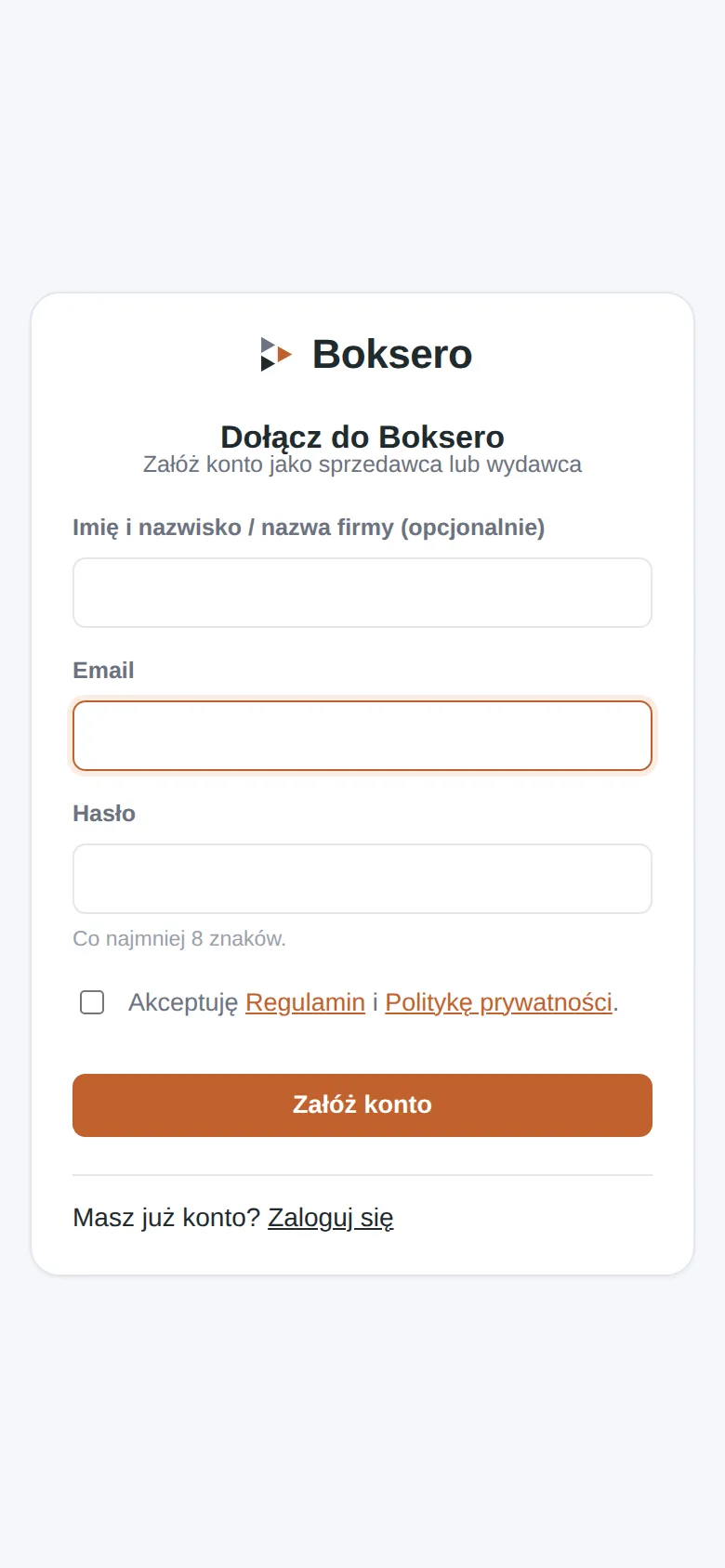
Go to boksero.com/dolacz (or click the link from the person who invited you).
Enter your e-mail and a password (at least 8 characters). Your name or company name is optional.
Tick the acceptance of the terms of service and privacy policy — it is required, the form will not go through without it.
Click "Załóż konto" (Create account) and confirm your e-mail address with the activation link we will send you.
Sign-up screen
One password for the site
Access to the site is currently limited to invited people. If, on entering, you see a screen asking for an access password (not to be confused with your account password) — you will get that password from the person who invited you.
For sellers
Adding an offer to your Warehouse
A Warehouse is where you keep your goods and services. One offer from a Warehouse can appear in many widgets at once.
In the panel open "Magazyny" (Warehouses) and pick a warehouse (or create a new one).
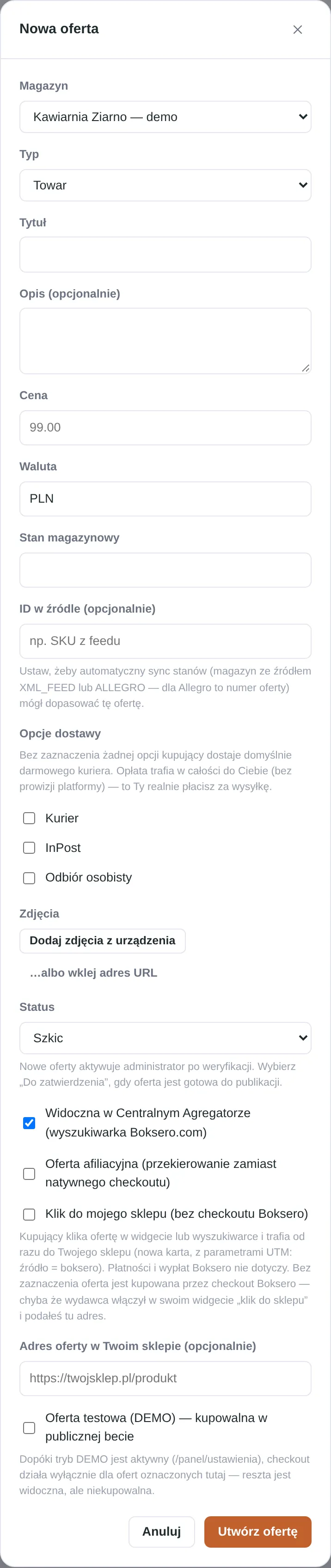
Click "Nowa oferta" (New offer).
Choose the type: Product, Service or Classified ad.
Fill in the title, description, price and currency.
For products: enter the stock level and choose delivery options (courier, InPost parcel locker, personal pickup).
Add photos — from your device or as a URL.
Choose the status: "Szkic" (Draft — not ready yet) or "Do zatwierdzenia" (Pending approval — ready to publish). New offers are activated by an administrator after review.
Decide on the sales mode (see below).
Click "Utwórz ofertę" (Create offer).
New offer form — basic fields
Two sales modes: Boksero checkout or click-through to your shop
Mode
How it works
Boksero checkout (default)
The buyer pays right in the widget. The settlement is split automatically between you, the publisher and the platform.
Click-through to my shop
The buyer clicks the offer and lands, in a new tab, in your own shop, with tracking parameters showing where they came from. Payment and the whole transaction happen with you, outside Boksero.
The "click-through to shop" mode is a good choice for the start of the beta: it changes nothing in your shop, and in your analytics you can see how much traffic a given publisher brings.
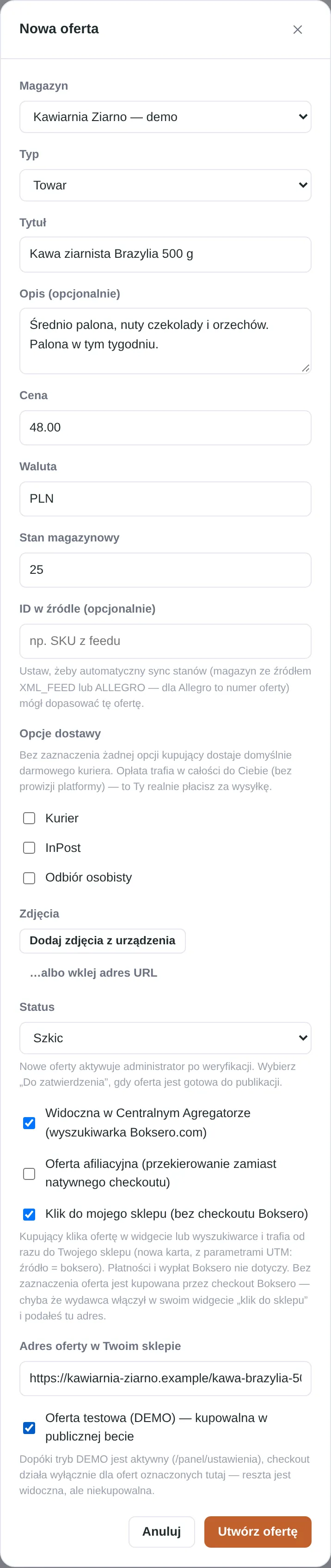
Turning on the "Klik do mojego sklepu" (Click-through to my shop) mode and entering the offer address
If "Klik do mojego sklepu" is not ticked, the offer sells through Boksero checkout. You can change this at any time by editing the offer.
Your offers — list and statuses
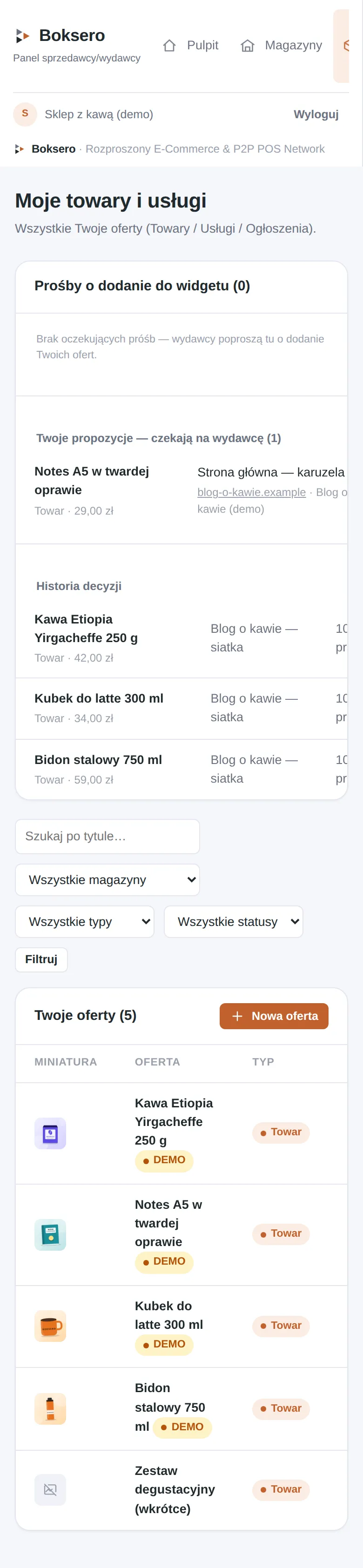
Under "Moje towary i usługi" (My goods and services) you can see all your offers, their status and how many widgets they appear in.
The seller's offer list with thumbnails and status
Boksero Exchange — how to propose a product to a publisher
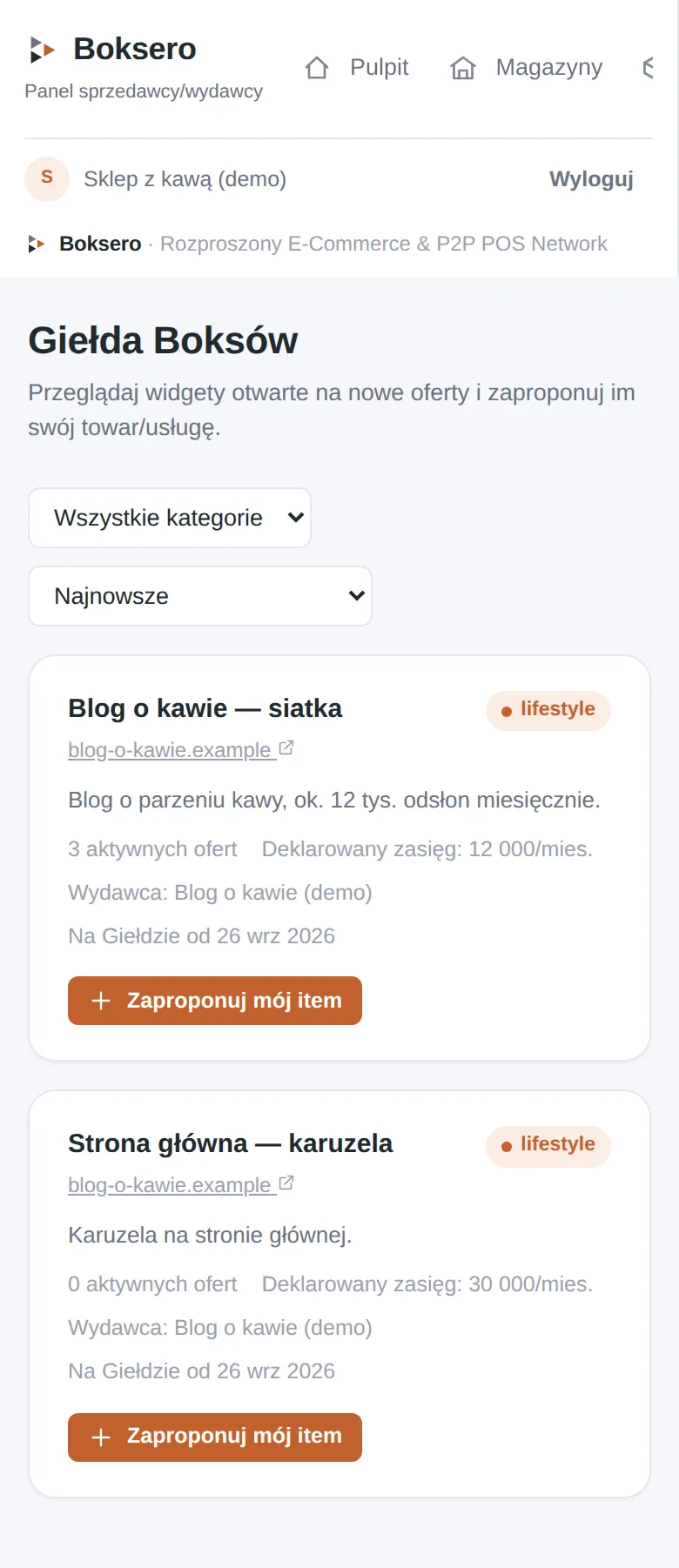
The Boksero Exchange ("Giełda Boksów") is where you see publishers' widgets that are open to new offers and can propose your product to them.
Open "Giełda Boksów" in the panel.
Browse the widgets — filter by category or sort by date.
Click "Zaproponuj mój item" (Propose my item) next to the widget you are interested in.
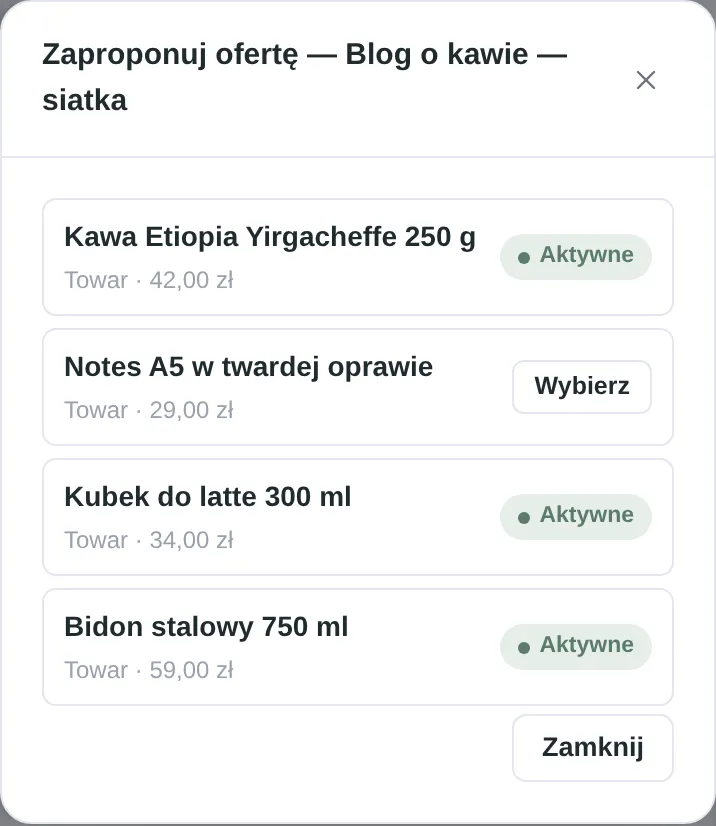
Choose one of your active offers.
Wait for the publisher's decision — you will see the status under "Twoje propozycje" (Your proposals) in the offers panel.
Boksero Exchange — list of available widgets
Choosing one of your own offers to propose to a publisher
For publishers
Creating a widget
A widget is a "smart box" of offers that you paste onto your website.
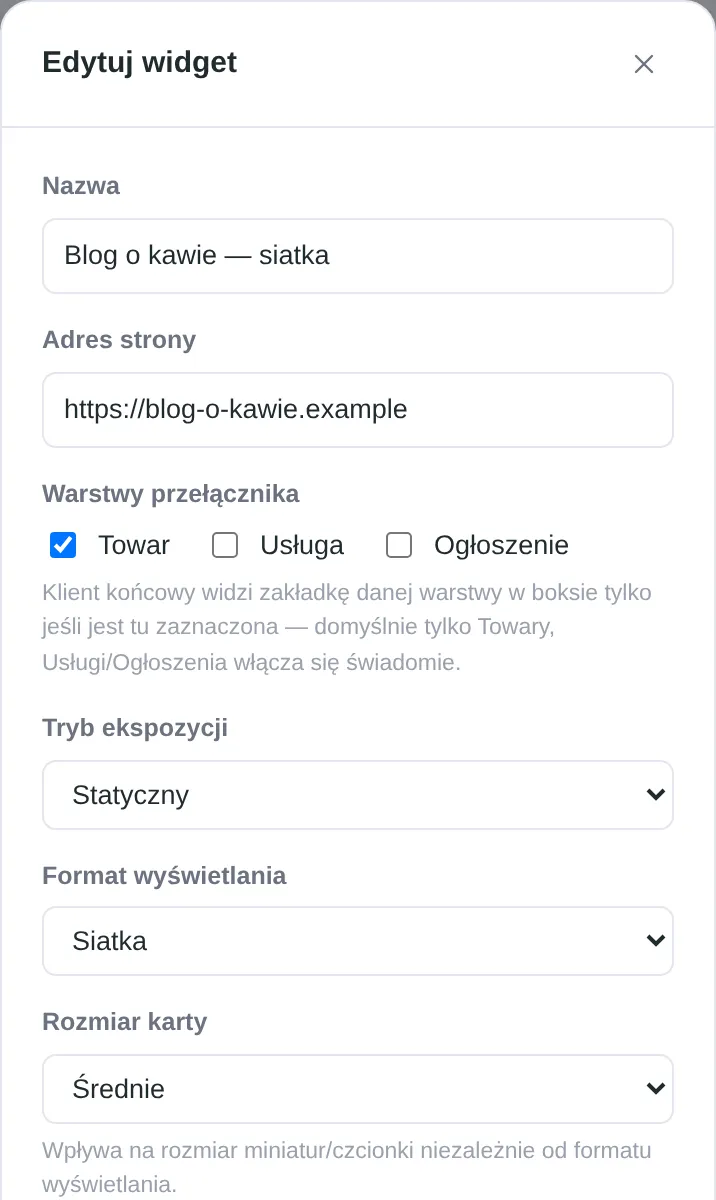
In the panel click "Nowy widget" (New widget).
Enter a name and the address of the website where you will embed it.
Choose the layers: Product, Service, Classified (Product only by default).
Choose the display mode (static or rotating), the format (Box Shop, grid, list, carousel or single card) and the card size.
Decide whether to turn on the "click-through to shop" mode for the whole widget (see below).
Optionally: list the widget on the Boksero Exchange so sellers can propose products to you themselves.
Creating a widget — name, address, layers and layout
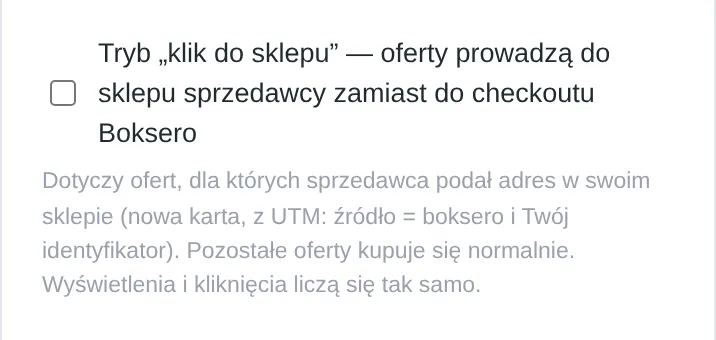
The "click-through to shop" switch at widget level
If you turn this on in a widget, offers for which the seller has provided their shop address will lead straight to it. The other offers (without such an address) are bought as usual through Boksero checkout. Views and clicks are counted the same way in both cases.
The "click-through to shop" mode switch in the widget settings
"Box Shop" format — a searchable catalog instead of a fixed layout
Instead of a grid or carousel, Box Shop shows a search box and filters (text, type, category, price, availability, condition) across ALL offers approved for that widget — buyers filter without ever leaving your site. The same catalog also exists as a standalone page at boksero.com/box/your-embed-key (good for a bio link or Smart Link). See it live: the layout gallery.
Code to paste and Smart Link
Once the widget is created you get two ways to share it.
Code to paste — for websites and blogs
One line of code that you paste where the widget should appear on the page (WordPress, HTML, any CMS). The widget has no external dependencies.
The code snippet to paste on your page
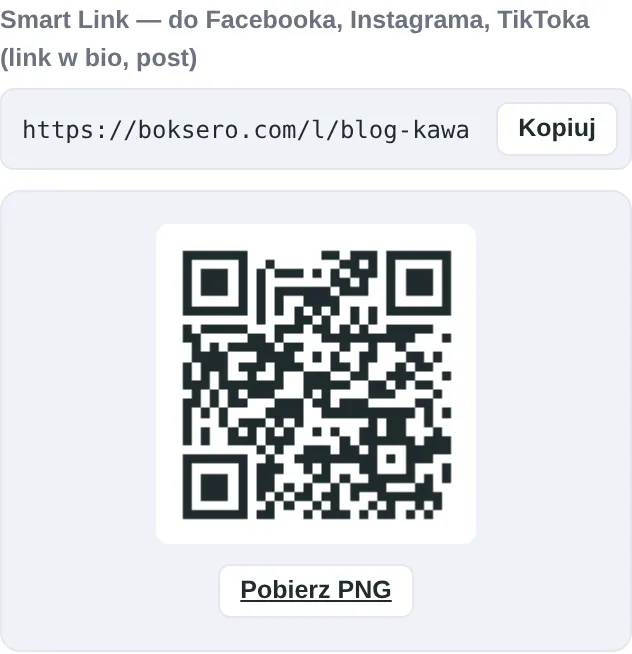
Smart Link — for Instagram, TikTok, Facebook
No social platform lets you embed a real widget inside a post, so you get a ready-made link (and a QR code) that opens a full-screen, working widget. Paste it in your bio or in the post description.
Smart Link with a copy button and a QR code
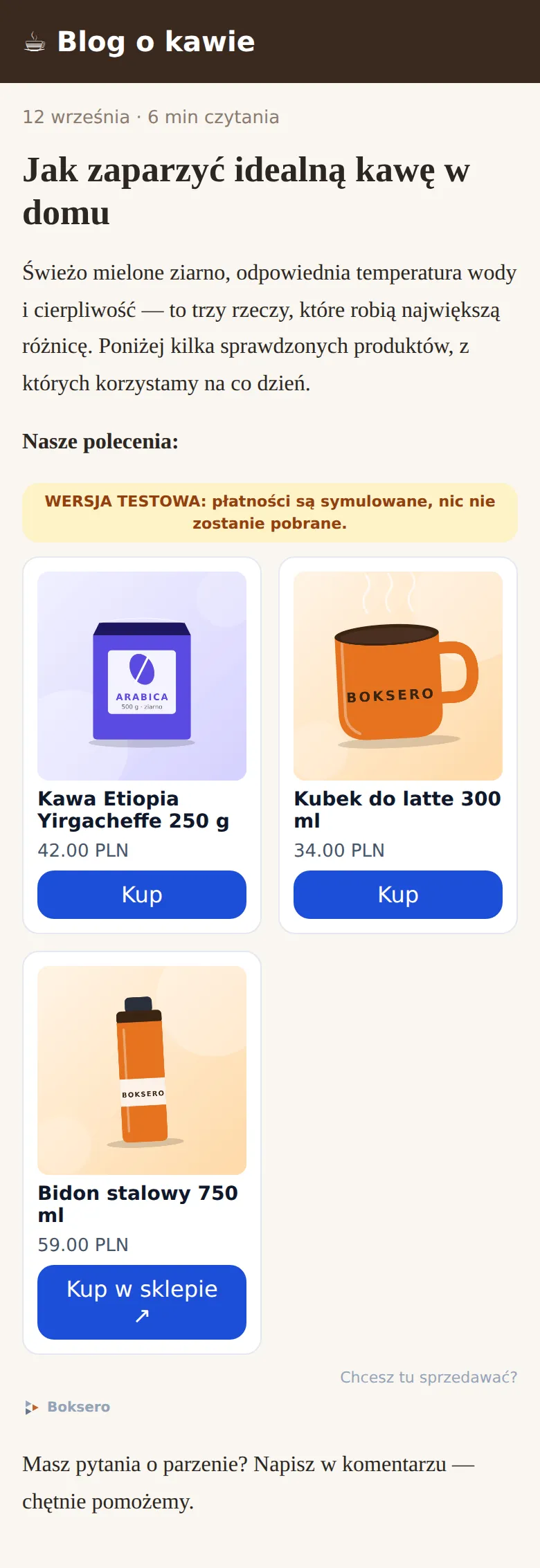
What it looks like on your page
The widget adapts to the style of your page and shows active offers with a visible beta-mode label.
A widget embedded on a sample blog
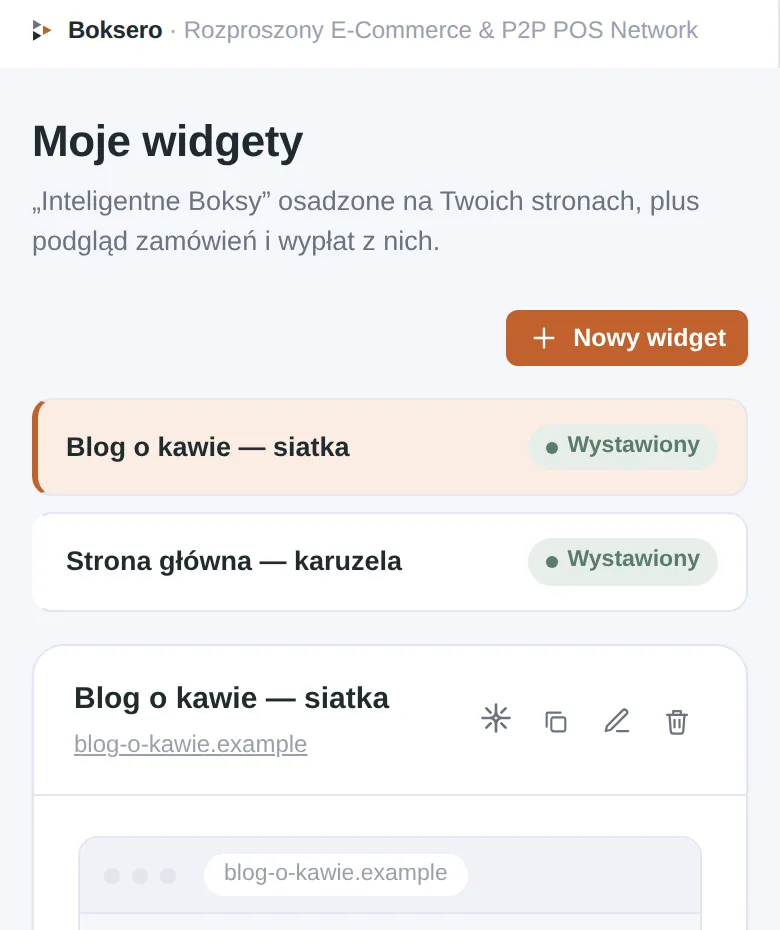
Your widgets and statistics
Under "Moje widgety" (My widgets) you can see the list of your widgets and a preview of each.
The "My widgets" panel — a list with the selected widget
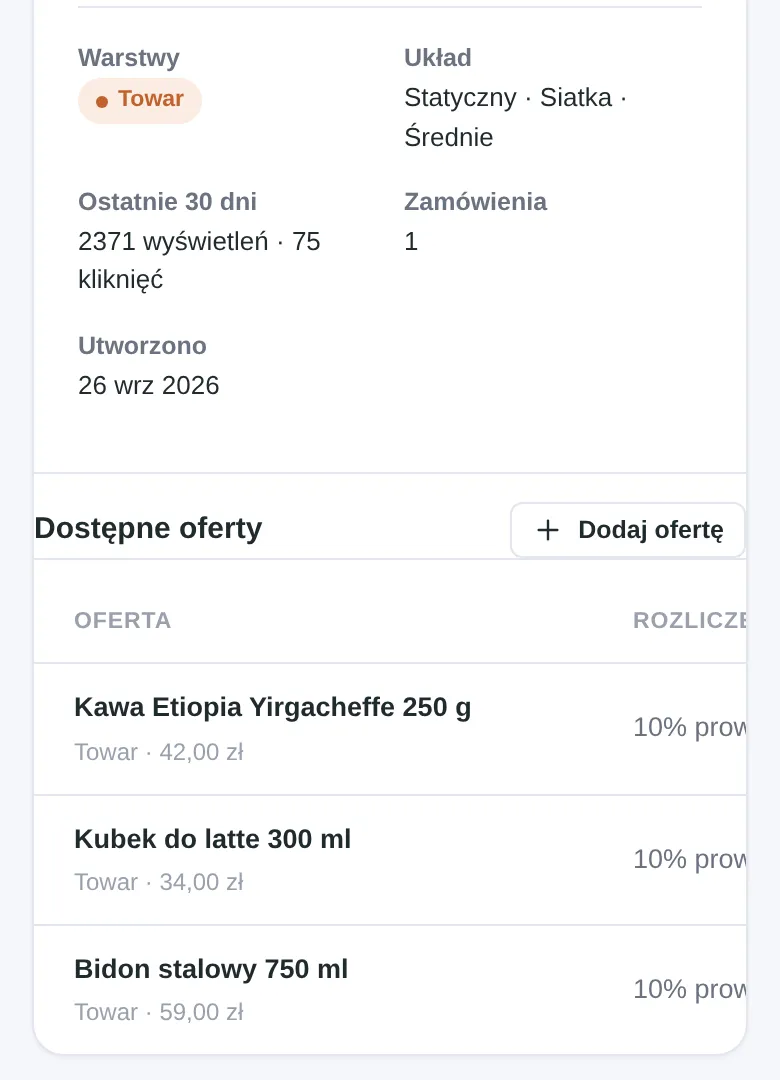
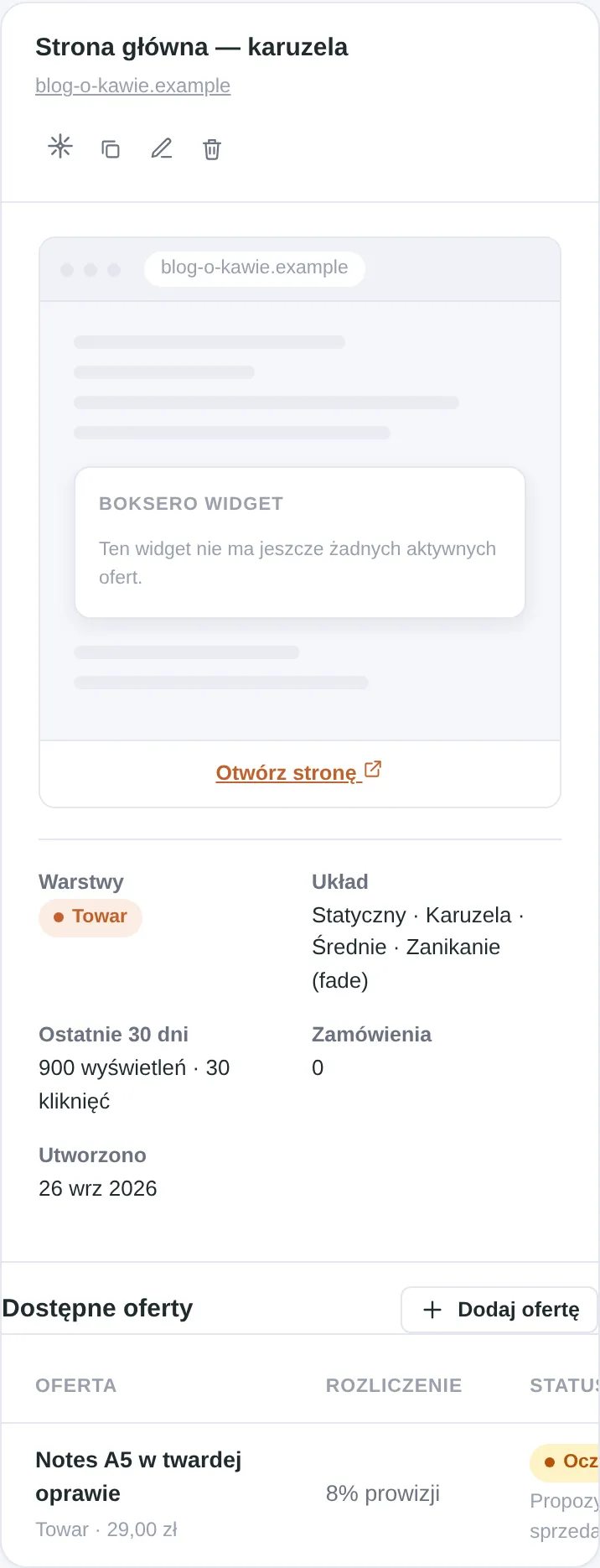
For each widget you see the number of views and clicks from the last 30 days, and below it — the list of offers available in it, together with the settlement terms.
Widget statistics for the last 30 days and the list of available offers
Boksero Exchange — how to accept a seller's proposal
When a seller proposes their product to you, you will see it right next to your widget in the panel.
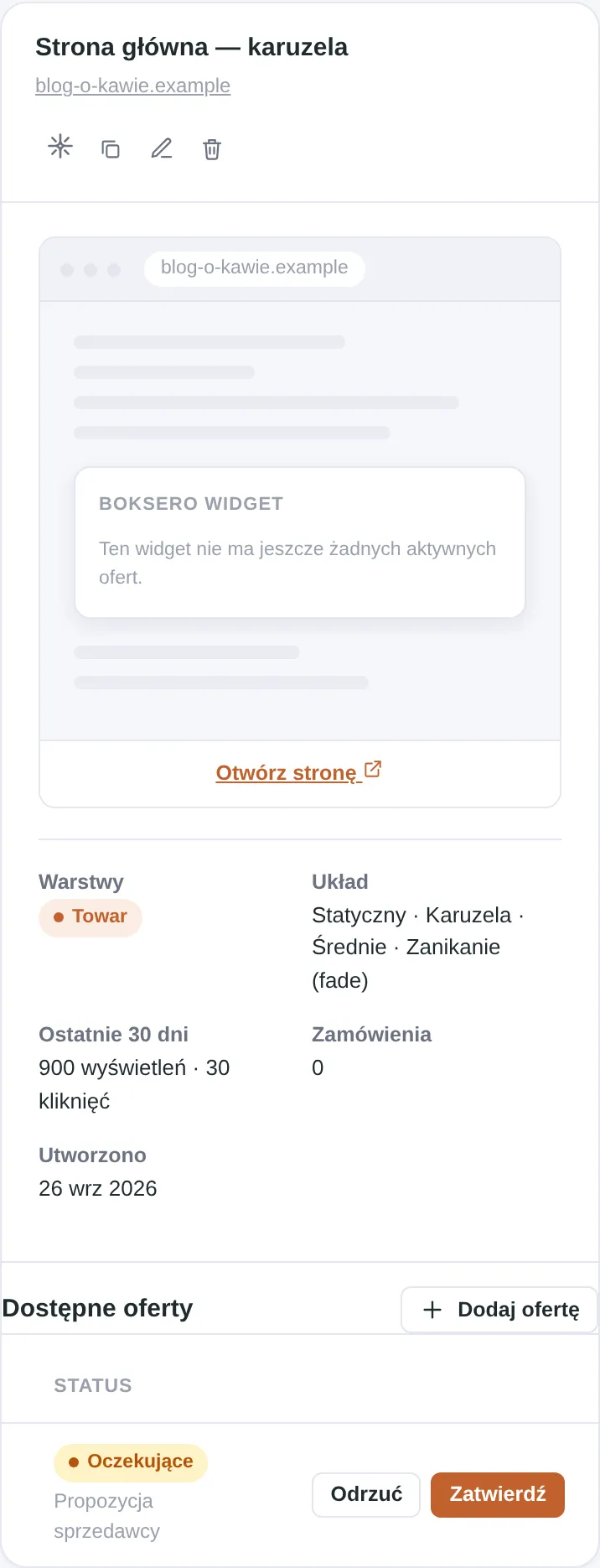
An offer proposed by a seller — name and settlement terms
The decision: Approve ("Zatwierdź") or Reject ("Odrzuć") the proposal
Once approved, the offer appears in your widget automatically, with no extra steps on your side.
What an order looks like in the beta
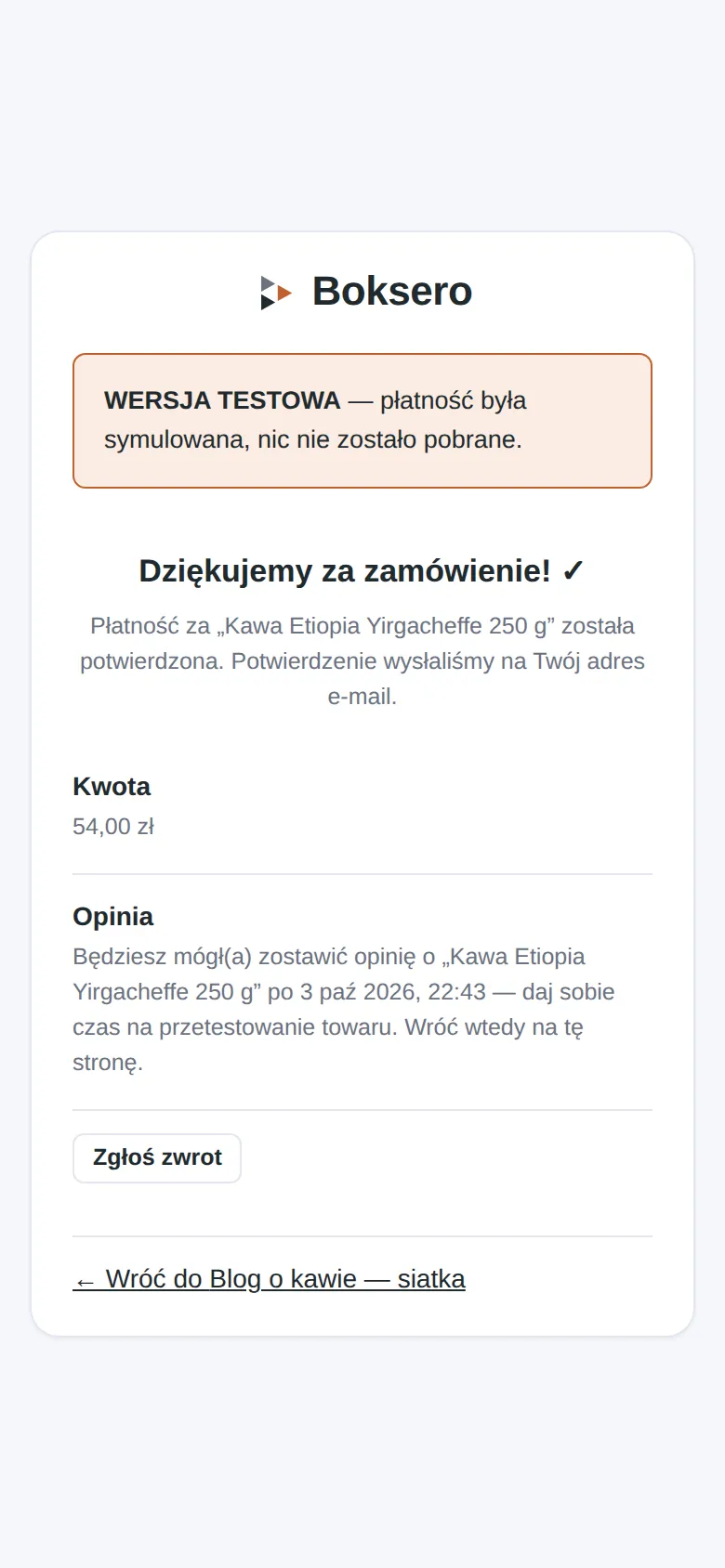
When someone buys through Boksero checkout (this does not apply to the "click-through to shop" mode, where the transaction happens outside Boksero), they see a confirmation page clearly marked as a test version.
Order confirmation with the "WERSJA TESTOWA" (TEST VERSION) banner
The payment is simulated — no real amount is charged.
The buyer gets an e-mail confirmation, just like with a real order.
A "Zgłoś zwrot" (Report a return) option is available, so you can test that path too.
When Boksero completes formalising the business (company registration, agreements), this banner will disappear and payments will become real — you will get a message beforehand with clear settlement terms.
Frequently asked questions
Does it cost me anything?
No. During the beta there are no fees, commissions or remuneration — neither for sellers nor for publishers. You will see a clear notice before anything changes.
When will real payments start?
Only after the platform is formally launched (business registration, agreements with payment partners). Until then everything runs in test mode, described in the section above.
Is my data safe?
Yes. Sign-up and login are protected (including bot protection), and we store data in line with the privacy policy available on the site. We do not share your data with third parties without a legal basis.
Can I be a seller and a publisher at the same time?
Yes, one account handles both roles. You can have your own Warehouse with offers and at the same time run widgets with other sellers' offers.
What happens to my data if my account is blocked?
If an administrator blocks an account (e.g. for breaching the terms of service), your active offers stop being visible. You can contact us if you think it is a mistake.
How do I delete my data or my account?
Write to kontakt@boksero.com — we will help with exporting or deleting your data in line with the privacy policy.
Found a breach of the terms, a counterfeit or illegal content?
Report it through the form at boksero.com/zglos-naruszenie (in Polish). Every report goes to the administrator and you will receive, by e-mail, a report number and a confirmation.
Thank you for being with us at this early stage
As one of the first sellers or publishers you have a real influence on what Boksero will look like — your feedback and questions are valuable to us.